How to write AI video prompts that survive production
Define one observable shot, direct the motion in physical terms, change one variable at a time, and keep the model, input, settings, output, and rejection reason together.
DATIK editorial team · Reviewed by Ilya Kostin · Sources checked 22 October 2026
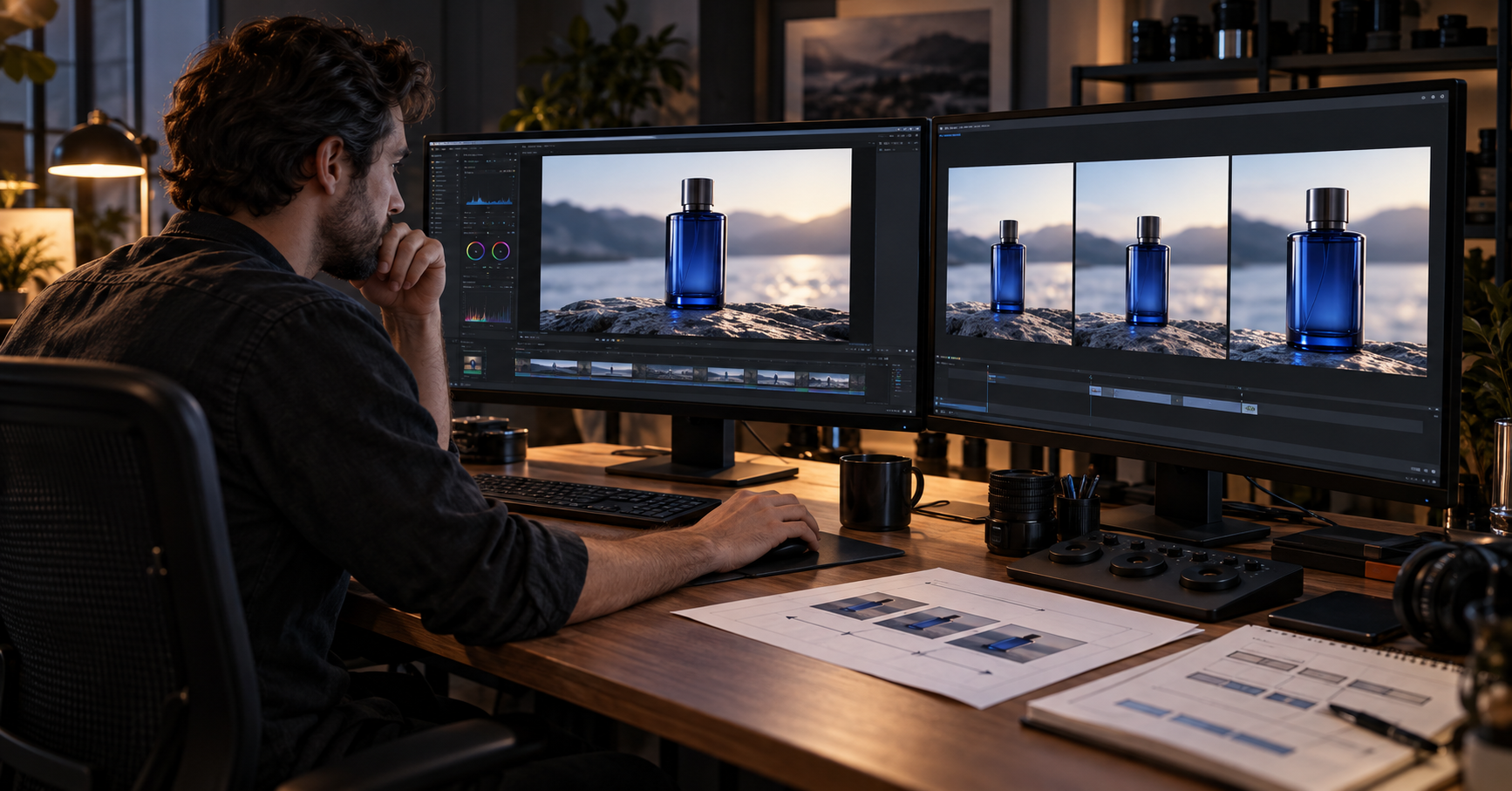
An AI video prompt is ready for production when a reviewer can tell whether the shot passed. It names the subject action, camera behavior, visible environmental motion, timing, and endpoint. It also travels with the input asset, model, settings, output, and rejection reason. Without that record, a good result is a lucky clip rather than a repeatable shot.
A prompt should direct one shot. The campaign strategy, brand rules, script, claims, and edit belong elsewhere in the production record.
Choose the generation mode before writing
Text-to-video and image-to-video prompts do different jobs.
Text-to-video must establish the subject, setting, composition, and motion. Image-to-video begins with an approved frame. The frame already supplies the subject, composition, lighting, and visual style, so the text should concentrate on what changes over time.
Runway's current Gen-4.5 documentation makes this distinction explicit. Its image-to-video guide advises creators to describe motion, camera work, and temporal progression instead of repeating what the model can see in the input image. Google's current Veo prompt guide uses a broader anatomy for text-led generation: subject, action, scene, camera angle, and camera movement.
For branded work, image-to-video usually gives the team a firmer starting point. Approve the product, presenter, wardrobe, and framing first. Then ask the motion model to perform a bounded action.
Give the shot one job
Write the shot requirement before the prompt. A useful requirement answers five questions:
- What must the subject do?
- What else in the scene should move?
- Should the camera move or remain fixed?
- How fast should the action feel?
- What must be visible in the final frame?
The endpoint matters because editors cut between states, not prompt paragraphs. A shot may need to finish with the product label centered, the presenter looking off screen, or empty space available for a title. If that state is absent, a beautiful generation can still be unusable.
Short clips have limited room for choreography. Runway currently supports two-to-ten-second Gen-4.5 generations and notes that more complex sequences may need more duration. Google lists four-, six-, and eight-second outputs for current Veo 3.1 API models. Treat duration as a production constraint, not a detail to choose after the prompt.
Use a shot card, then write the prompt
DATIK uses a compact shot card to keep creative intent separate from model wording:
| Field | Production decision | |---|---| | Input | Approved first frame or text-only scene brief | | Subject action | One observable action | | Environment | Only motion that matters to the shot | | Camera | One primary behavior | | Timing | Pace or simple event order | | Endpoint | The frame the editor needs | | Acceptance test | What a reviewer checks |
The prompt is written from this card. The card remains useful if the team changes models or rewrites the wording.
For an approved product frame, a first test might read:
> The bottle remains fixed while condensation moves slowly down the glass. The camera makes a restrained push toward the label and ends with the label centered and fully visible.
That instruction can fail, but the failure will be legible. The reviewer can identify product movement, excess camera speed, label distortion, or a missed endpoint.
Describe motion in physical terms
Abstract adjectives leave the model to invent the action. “Premium,” “dynamic,” and “energetic” may be useful creative notes, but they do not tell the model what changes from one frame to the next.
Translate the intention into visible behavior. A premium product shot might use a slow camera push, limited object movement, steady reflections, and a clean final hold. An energetic service ad might use a faster lateral track and a subject entering the frame with purpose.
Camera terms should also match the actual move. A zoom changes focal length. A dolly moves the camera through space. A pan rotates it from a fixed position. Google's prompt guide separates those movements, while Runway provides current model examples for static, handheld, arc, tracking, and other camera behavior.
Use the term only when the move helps the edit. Camera vocabulary is not decoration.
Start simple and change one variable
Begin with the essential subject motion and one camera instruction. Generate a small test set. If the action works but the camera is wrong, revise the camera line and keep the rest stable.
Changing the action, framing, lighting, pace, and style together destroys the comparison. A full rewrite may produce a better clip, but it does not show which instruction fixed the shot.
This method also protects the budget. The production log can show whether a rejected generation came from a weak input frame, conflicting motion, an ambitious camera move, or model drift. Those are different problems with different fixes.
Write positive instructions for the selected model
Prompt syntax is provider-specific. Runway's Gen-4 guidance recommends positive phrasing, such as “locked camera,” instead of a string of negative commands. Google's Veo API supports a separate negative-prompt parameter in some current configurations.
Do not turn one vendor's habit into a universal rule. Record the model and version beside every approved prompt. Recheck provider documentation after a model change, because a prompt that worked last quarter may now be interpreted differently.
Log the result, including rejection
Save the following with every candidate used in review:
- model and version;
- input asset filename and revision;
- aspect ratio, duration, and relevant settings;
- exact prompt;
- output identifier;
- pass or reject decision;
- a specific rejection reason.
Use a stable rejection vocabulary: identity drift, product distortion, label corruption, unintended cut, wrong camera direction, timing error, unwanted subject motion, or unusable endpoint.
“Looks off” cannot guide the next test. A named defect tells the team whether to revise the prompt, repair the input image, shorten the action, select another model, or fix the shot during editing.
Know what prompting cannot repair
A prompt cannot create missing product angles without invention. It cannot provide likeness permission, settle a disputed claim, repair a weak script, or make small packaging text dependable during a complex move.
Use compositing when exact typography or a logo must survive. Use ordinary footage when the physical product must remain exact through motion the model cannot hold. Use a controlled still animation when the label matters more than object movement.
The deliverable is the approved cut. The number of generated pixels is not a quality metric.
Production checklist
Before a prompt enters a client review, confirm that:
- the generation mode matches the available reference assets;
- the shot has one main action and one clear endpoint;
- the prompt describes visible motion rather than campaign strategy;
- the duration can contain the requested event sequence;
- the camera instruction serves the edit;
- each revision changes a known variable;
- the model, input, settings, and output are logged;
- rejection reasons are specific;
- exact logos, text, claims, and likeness permissions are handled outside the prompt where necessary.
This is the difference between prompt writing as experimentation and prompt writing as production control.
Sources and limits
- Runway: Creating with Gen-4.5
- Runway: Image to Video Prompting Guide
- Runway: Gen-4 Video Prompting Guide
- Google Cloud: Video generation prompt guide
- Google Cloud: Generate videos from text prompts
Provider controls and model behavior change. The specifications above were checked on October 22, 2026. Test the selected model with the actual input assets before adopting any prompt as a production standard.
The DATIK Video Lab workflow shows where prompting sits between the brief, approved references, editing, rights review, and delivery. The guide to consistent products and characters covers the reference controls needed before motion. Apply for a DATIK Video Lab pilot if you have one offer, usable source assets, and a defined delivery date.
Frequently asked questions
Is a longer AI video prompt better?
Only when the added detail removes a real ambiguity. Extra camera moves, actions, and style words can create conflicts and make a failure harder to diagnose.
Should an image-to-video prompt describe the input image?
Usually it should focus on motion. Describe visual content when adding something new, directing a transformation, or clarifying an interaction that the frame does not establish.
Can the same prompt be reused across video models?
Reuse the shot card, then adapt the wording and settings. Providers support different durations, controls, and prompting behavior, so the approved record must include the model and version.
How many prompt variations should a team test?
Enough to answer a defined question. Test one controlled change at a time and stop when a candidate passes the shot's acceptance test. Endless variation is not a production method.
Turn one shot into a controlled test
Bring the approved reference, platform, duration, required endpoint, usage, and delivery date. We will define the shot card, prompt variables, acceptance test, and stop condition before generation begins.
4300 Biscayne Blvd, Miami, FL 33137 · info@datik.click