How many revisions should an AI video quote include?
Two consolidated rough-cut rounds are a practical default for a bounded short-form project. The quote still needs to define which decisions stay open and what triggers regeneration.
DATIK editorial team · Reviewed by Ilya Kostin · Sources checked 5 November 2026
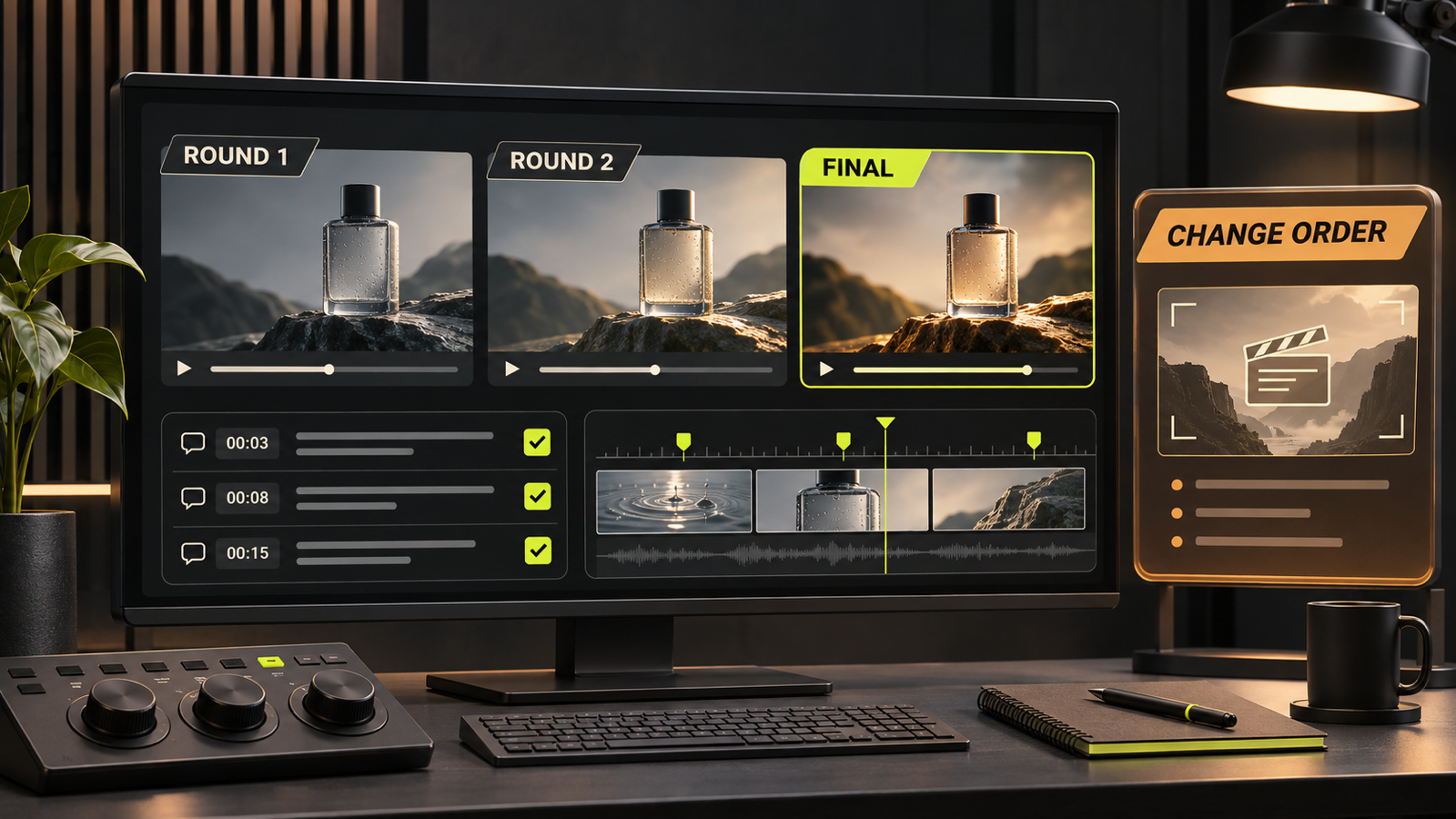
An AI video quote should usually include two consolidated revision rounds on the rough cut, plus correction of production errors before delivery. The number alone is not enough. The quote also needs to say which decisions are still open, who can approve them, and when a request becomes new scope.
That distinction matters more in AI-assisted production than it does in a simple edit. Changing a caption may take minutes. Replacing the approved product reference can force new generations, new shot selection, continuity repair, sound work, and another review cycle.
The useful question is: “Which decisions can still change at each gate?”
A practical default for a bounded project
For a short brand video or ad, a clear starting structure is:
- one review of the brief, script, claims, and call to action before visual production
- one approval of the visual direction, reference assets, and storyboard
- one approval of selected generated shots before the editor builds the rough cut
- two consolidated revision rounds on the rough cut
- one final quality-control pass for agreed corrections, export errors, captions, and delivery specifications
This is a scoping model, not an industry law. A regulated campaign, a multi-market launch, or a film with several stakeholder groups may need more formal gates. A six-second product cut with one approver may need fewer.
The quote should price the actual review structure rather than promise “unlimited revisions.” Unlimited feedback has no stable production meaning. It can hide a stream of conflicting notes, new concepts, and late asset substitutions that neither party budgeted.
Count a round only when feedback is consolidated
A revision round begins when the producer sends a named version for review. It ends when the authorized client owner returns one resolved set of notes by the agreed deadline.
Three people commenting separately over four days is not one clean round. It is an open review window. The editor cannot tell which note wins when the brand lead asks for a quieter ending and the sales lead asks for a louder offer.
The client should appoint one feedback owner. That person does not need to invent every note. They need to settle internal conflicts before the notes reach production.
Every note should include:
- a timecode or shot ID
- the problem the reviewer sees
- the required outcome
- the priority
- the approver, when a legal or brand decision is involved
“Make it pop” does not identify a production action. “At 00:06, increase the product-name contrast so it remains readable on a phone” does.
Adobe’s current Premiere review guidance supports this operating pattern with timestamped comments, annotations, named reviewers, and versioned review cycles. The software does not define the commercial scope. It gives the parties a cleaner record of what was requested and which cut received the note.
Separate a correction from a creative change
The quote should define three categories before work begins.
Production correction
A correction fixes the producer’s departure from the approved material. Examples include:
- the wrong logo file
- a misspelled approved caption
- an export with the wrong dimensions
- a shot that does not match the approved product color
- a missing disclaimer that was present in the approved script
These corrections should not consume the client’s creative revision allowance.
In-scope revision
An in-scope revision changes an open decision without replacing the approved foundation. Examples include:
- trimming a shot within the approved sequence
- adjusting caption timing
- replacing an approved alternate shot already generated for the project
- balancing the music against the voiceover
- changing the order of two approved scenes
The statement of work should name the boundaries. A simple edit can become regeneration if no approved alternate exists.
Scope change
A scope change reopens an approved decision or adds a deliverable. Examples include:
- a new offer or audience
- a rewritten script after storyboard approval
- a different character, location, product, or visual style
- a replacement reference image that changes the scene
- an additional aspect ratio, language, runtime, or platform cut not listed in the quote
- new claims that require review and on-screen treatment
- a request to recreate previously approved shots with a different model or method
A scope change is a priced decision. The producer should explain the effect on cost, schedule, and downstream work before starting it.
Project Management Institute guidance treats the approved baseline as the reference for evaluating changes and recommends that potential scope changes be documented and approved by the responsible authority. That principle maps cleanly to creative production: freeze the decision, record the request, assess the impact, then approve or reject the change.
Use approval gates to prevent expensive late feedback
The cheapest time to change a claim is in the script. The cheapest time to reject a visual direction is on the reference board. Waiting until the finished cut converts an early decision into replacement work.
Use these gates:
- Brief gate: confirm the audience, offer, objective, placements, runtime, formats, claims, required assets, and success measure.
- Script gate: approve spoken words, on-screen copy, disclosures, and call to action.
- Visual gate: approve the product references, people or characters, environment, palette, framing, and storyboard.
- Shot gate: select the generated or filmed shots that may enter the edit. Flag accuracy and continuity failures here.
- Rough-cut gate: review pacing, sequence, music, voice, captions, and the complete argument.
- Master gate: correct defects, verify specifications, and approve the exact deliverables.
Approval at a gate freezes the underlying decision for the quoted scope. The client can still change direction after seeing the consequence for cost and schedule.
Price revision exposure alongside editing hours
An AI-assisted quote should identify the work that a likely revision can trigger. A request may touch:
- prompt and reference preparation
- generation attempts and provider usage
- shot selection and continuity repair
- compositing or cleanup
- voice, music, and sound effects
- captions and graphics
- editing and color treatment
- quality control across every derivative
- account management and stakeholder review
The visible note can be small while its dependency chain is large. “Use the blue package instead” may invalidate every shot containing the product.
Do not invent a flat regeneration fee without knowing the pipeline. State the rate or change-order method in the quote. Options include a fixed price for a defined replacement shot, an hourly or day rate for reopened work, or a new mini-scope with its own approval gates.
For every change order, record:
- the requested change
- the previously approved baseline
- affected shots and deliverables
- cost and schedule impact
- rights or disclosure impact, if any
- who approved the change
- the new review allowance
This record protects both parties. The buyer can decide whether the change is worth the delay before the team spends the money.
Write the quote so both sides can operate it
A usable revision clause should answer these questions:
- How many rounds are included at each stage?
- What counts as one round?
- How long is the review window?
- Who is authorized to submit and approve feedback?
- Which decisions become fixed after each approval?
- Are producer errors corrected outside the round count?
- What new formats, runtimes, languages, or versions are included?
- What causes a change order?
- How will additional work be priced?
- What happens when feedback arrives late?
- When is a version considered accepted?
- How long are project files and generated assets retained?
Here is a plain-language model to adapt with counsel:
“The project includes two consolidated revision rounds on the rough cut. Each round consists of one resolved set of timecoded notes submitted by the client’s designated approver within three business days. Corrections required to match the approved script, storyboard, brand assets, or delivery specifications do not reduce the revision allowance. Requests that reopen an approved concept, replace source assets, change claims or audience, or add deliverables require a written change order covering cost and schedule before work begins.”
The clause does not solve a vague brief. It works only when the quote also lists the deliverables, approval gates, reference assets, and responsible approver.
A buyer-side check before signing
Before approving an AI video proposal, ask the production company to walk through one realistic change.
Try this example: after storyboard approval, the product team replaces the package image and asks for a Spanish vertical cut. Which part is an included revision? Which part requires new generation? What happens to captions, voice, sound, legal review, and delivery dates?
A credible answer should identify dependencies and show the change-order path. “We will work it out” is not a production control.
Also ask to see how versions and approvals are recorded. A review platform with timestamped comments is useful. A named file convention and approval log can also work. The important part is that the final master can be traced to the approved brief, assets, and notes.
Sources and limits
- Adobe Premiere: collaboration and timestamped review comments, updated April 2, 2026
- Adobe Premiere: frame-specific comments in shared projects, updated November 19, 2025
- Project Management Institute: Scope Management
- Project Management Institute: establishing and controlling the project baseline
Sources were checked on November 5, 2026. Provider interfaces and contract practices can change. This article is commercial production guidance, not legal advice. Contract language should be adapted to the project and reviewed by qualified counsel when the risk warrants it.
Put the revision path in the production plan
DATIK Video Lab scopes the brief, approvals, generated assets, edit, delivery, and change-order path as one production system. Start with a bounded pilot and ask for the revision map before the first generation run.
Frequently asked questions
Are two revision rounds always enough?
No. Two consolidated rough-cut rounds are a practical default for a bounded short-form project with one decision owner and earlier script, visual, and shot approvals. More stakeholders, jurisdictions, deliverables, or unresolved creative decisions may justify more rounds and a larger quote.
Should producer mistakes count as revisions?
No. The scope should distinguish a correction needed to match approved material from a client-requested creative change. A wrong logo, misspelled approved caption, or incorrect export specification is a correction.
Does changing one AI-generated shot count as a revision?
It depends on the approved scope. Swapping in an existing approved alternate may be an ordinary edit. Changing the product reference, character, setting, or action may require regeneration and continuity work across other shots.
What does unlimited revisions mean?
Unless the contract defines decisions, review windows, approvers, and scope boundaries, the phrase is ambiguous. It can create an open-ended obligation without telling the buyer which new concepts or deliverables are included.
Why approve generated shots before the rough cut?
Shot approval prevents the editor from building pacing, sound, captions, and transitions around material the client already considers unusable. It also exposes product and character consistency problems before they spread through the edit.
Put the revision map in the quote
Bring the brief, deliverables, approvers, review windows, source assets, and likely late changes. We will map what stays included, what requires regeneration, and how a change order is approved.
4300 Biscayne Blvd, Miami, FL 33137 · info@datik.click