AI camera movements: when each shot helps or hurts
Choose the smallest movement that reveals the detail a buyer needs, then review the whole path for product accuracy, safe framing, and a usable edit point.
DATIK editorial team · Reviewed by Ilya Kostin · Sources checked 25 October 2026
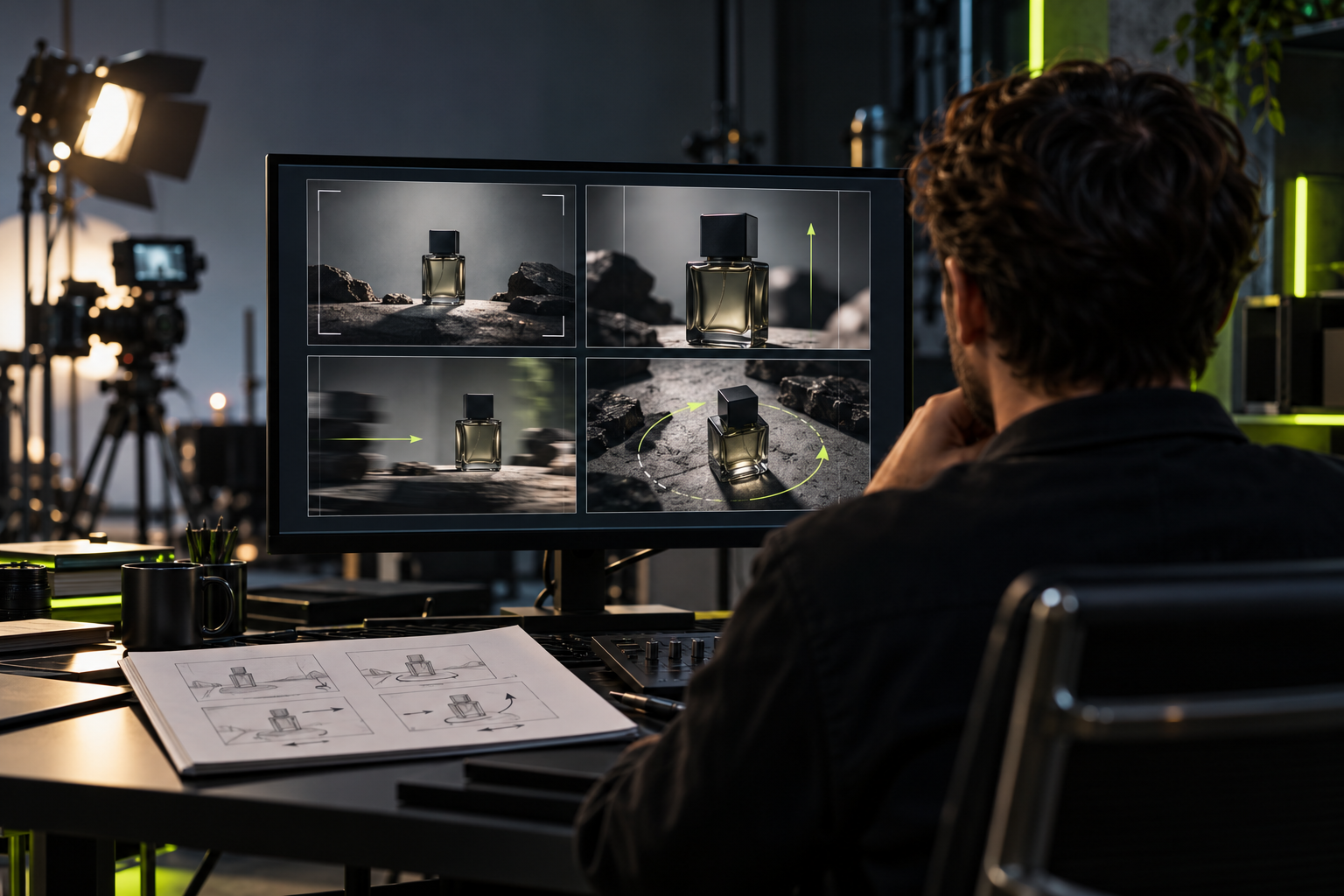
Camera movement should reveal information. Generated video makes dramatic motion easy to request, which is why it is easy to overuse.
Start with the detail a buyer must see. Then choose the smallest movement that delivers it. A locked camera is often a better commercial decision than an orbit that changes the product halfway through the shot.
A practical movement map
- Locked camera: Use it when a label, face, interface, or claim must stay readable. Check whether the framing remained fixed from first frame to last.
- Push-in: Use it when one existing detail needs more emphasis. Check whether the required detail remains complete at the endpoint.
- Pull-back: Use it to reveal context. Check every new surface or object the model had to create.
- Pan or tilt: Use it when information continues across or above the frame. Make sure the move ends on something the viewer needs.
- Tracking shot: Use it when movement explains how a person, vehicle, or product is used. Check the subject's identity and geometry across every frame.
- Orbit or arc: Use it when several sides of a form matter. Confirm that accurate references cover the angles being revealed.
- Handheld: Use it when a credible phone-shot or documentary feel supports the concept. Decide whether it feels captured or merely shaken.
The terms are not interchangeable. A pan rotates from a fixed point. A tracking or truck move changes the camera's position. A push-in moves closer to the subject. A zoom changes focal length. Runway's current camera reference separates these terms and shows model-specific examples. That makes it useful vocabulary, not a promise that another model will respond the same way.
Locked camera
Use a locked frame when accuracy matters more than spectacle. Product labels, software screens, disclosures, and spoken claims all benefit from stable composition.
The scene can still move. Steam can rise, fabric can shift, a person can turn, or light can change while the viewpoint stays still. Runway's current image-to-video guidance recommends describing the motion that should occur inside the frame and explicitly stating that the camera remains still when minimal camera motion matters.
Check the actual output. A prompt can request a locked frame without producing one.
Push-in and pull-back
A slow push-in directs attention toward a material detail, control, expression, or offer. It works best when the starting image already contains the correct subject and the endpoint needs more emphasis.
Plan that endpoint before generation. An aggressive push may crop a logo or leave no room for captions. It may also enlarge small defects that looked acceptable in the opening frame.
A pull-back does the opposite. It connects a close detail to the room, user, or larger system around it. The newly revealed area is the risk. If the reference does not define that space, the model has to invent it.
Pan and tilt
A pan follows horizontal information. A tilt reveals vertical scale or moves between a subject and an object. Both need a destination.
In a vertical ad, a decorative horizontal pan can spend scarce screen width without adding meaning. It can also place the product behind platform controls or outside a planned text-safe area. Write down the starting subject, ending subject, direction, and speed before the shot is generated.
If the move cannot be described that plainly, it may be doing too much.
Tracking movement
A tracking shot can show use and momentum. It also asks the model to maintain the subject, environment, camera distance, and physical relationships at the same time.
Reduce the demand when continuity breaks. Shorten the shot. Simplify the background. Keep the subject moving in one direction. Record the camera endpoint so the editor knows whether the next cut can match it.
This is a production choice, not a prompting contest. A shorter usable shot costs less than a complicated shot that must be hidden under transitions.
Orbit and arc
An orbit can reveal form and create a polished product moment. It is demanding because the camera exposes surfaces that may not exist in the input.
Packaging, ports, seams, reflections, and proportions can change as the camera moves. Several accurate reference angles reduce ambiguity, but they do not guarantee identity. For technical products, a controlled real turntable shot or an approved 3D render may be safer.
Do not approve an orbit from its prettiest frame. Review the complete path.
Handheld movement
Handheld motion can support credible creator-style footage when the performance, lens position, and setting already feel plausible. Added shake does not make a synthetic spokesperson more authentic by itself.
Review the video at delivery size. Motion can hide facial changes during a desktop preview and make them more obvious on a phone. Check stabilization, hands, mouth detail, product edges, and disclosure placement.
One essential instruction per test
Complex camera language is possible. It is also difficult to diagnose. A crane, orbit, crash zoom, rack focus, and subject transformation inside one short generation create several independent failure points.
Test the essential move first. Hold the model, input image, aspect ratio, duration, and other settings constant. Change one movement instruction. Save the exact prompt, output, and rejection reason together.
Runway's current guidance recommends starting with the most important motion components and adding detail as needed. Adobe Firefly exposes simple movement presets such as pan and zoom in its image-to-video workflow. The interfaces differ, but the operating lesson is the same: begin with a bounded move you can review.
Shot approval checklist
Before the shot enters an edit, confirm:
- the move has a clear job in the ad;
- the subject and product remain recognizable throughout;
- labels, interfaces, and required claims stay readable;
- the start and end frames leave the editor a usable cut;
- newly revealed objects and surfaces are accurate;
- motion direction agrees with adjacent shots;
- captions and disclosures have safe space;
- the exact model, settings, reference, prompt, and selected output are recorded.
If one answer is no, fix the source or simplify the move before generating more variants.
Sources and limits
Sources checked 25 October 2026:
- Runway camera terms, prompts, and examples
- Runway image-to-video prompting guide
- Runway Gen-4 video prompting guide
- Adobe Firefly: generate videos from images
These are provider instructions, not controlled performance comparisons. Camera terms and model behavior change. Test the selected model with the actual reference image, aspect ratio, duration, and delivery size.
See the DATIK production workflow before choosing shots for a pilot. If you need a controlled test, book a DATIK diagnostic and bring one offer, one approved reference set, and one intended placement.
Frequently asked questions
Which camera movement is safest for an exact product?
A locked frame or restrained push-in usually reveals less unseen geometry than an orbit. The approved reference set and the product's shape still decide.
Should every AI-video shot move?
No. Movement should help the viewer understand the subject, follow an action, or connect one shot to the next.
Can camera errors be fixed in editing?
Minor drift or timing may be repairable. A changed product, broken reflection, wrong perspective, or missing label usually requires another source or generation.
How should a team compare two camera prompts?
Keep the model, input, settings, aspect ratio, and duration unchanged. Change one movement instruction, then compare the full clips and their edit points.
Test one camera move against a real product
Bring one approved reference, one shot requirement, the delivery format, and the frame the editor needs at the end. We will define the controlled test and approval checks before generation begins.
4300 Biscayne Blvd, Miami, FL 33137 · info@datik.click