AI video licensing checklist for client and agency teams
A commercial video can contain a dozen different rights. Give every material asset a source, scope, evidence record, and expiration before release.
DATIK editorial team · Reviewed by Ilya Kostin · Sources checked 4 November 2026
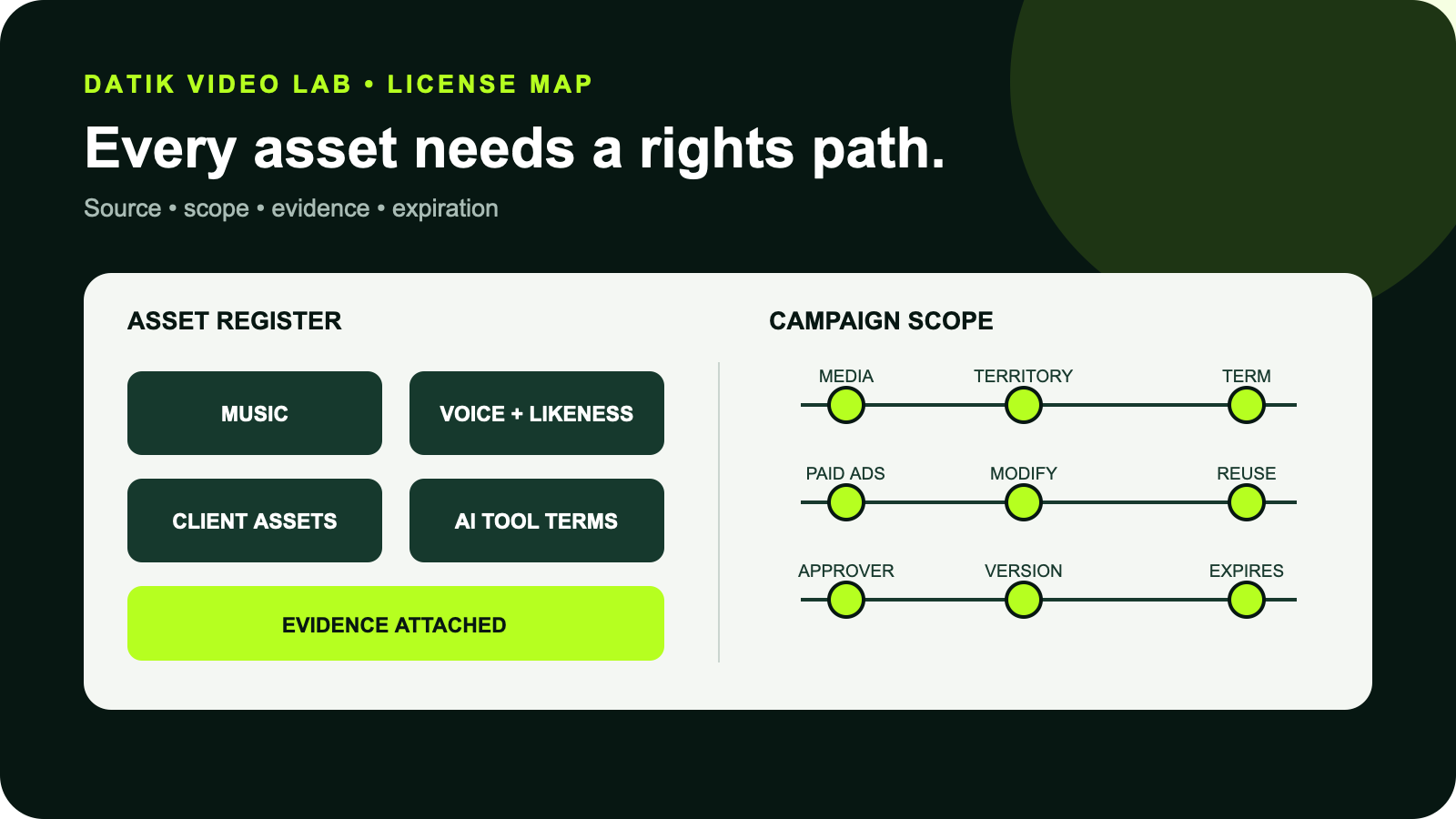
A single AI-assisted video can combine a client logo, product photographs, stock footage, generated clips, a performer’s face, a cloned voice, a font, music, and sound effects. “Commercial use allowed” on one tool does not clear the rest of that chain.
The licensing file should answer a simpler question for every component: who supplied it, what permission covers this use, where can the finished video run, and when does that permission end?
This checklist is an operating control for US brand work. It is not legal advice.
The release gate in one minute
Do not release the video until the team can show:
- an asset register covering every material component
- the applicable license, release, assignment, or client warranty
- the exact media, territory, term, and modification rights
- the AI provider, account plan, model, and terms checked
- separate permission for a real person’s voice, face, name, or endorsement
- music clearance for both the composition and the recording
- written approval tied to the exact master and campaign scope
- known limits and expiration dates in the client handoff
If one of those rows is unknown, mark it unknown. Do not convert a missing record into an assumption.
Build the asset register before production
The register should begin during intake, not at final delivery. Give every component a stable asset ID and connect it to the shot, source file, rights document, and final export.
Use these fields:
- asset ID and plain-language description
- supplier and original creator, when known
- file name, source URL, receipt, or project location
- rights basis: owned, assigned, licensed, released, public domain, or client-supplied
- permitted media and placements
- territory and term
- paid-ad, broadcast, event, and template rights
- modification and derivative-work rights
- attribution or disclosure requirement
- exclusivity or competitor restrictions
- expiration or renewal date
- approver and date checked
The register is not a legal opinion. It is the production team’s map of the evidence it received.
Check client-supplied assets
“The client sent it” is not a rights category. Ask the client to identify what it owns, what it licensed, and what it received from another vendor.
For logos and packaging, confirm that the files are current and approved for the campaign. Trademarks identify the source of goods or services, and their permitted presentation may be controlled by brand rules as well as contract terms. Do not redraw, distort, or invent an alternate mark without approval.
For product photographs, confirm who took them and what rights moved to the client. The US Copyright Office notes that the photographer is generally the initial copyright owner unless a valid work-made-for-hire or transfer arrangement applies. Possessing the image file does not by itself establish copyright ownership.
For scripts, illustrations, footage, and previous campaign edits, identify the author and the agreement that covers reuse. A license for one advertisement may not cover a new video, a new territory, or a reusable client template.
The contract should allocate responsibility for client-supplied material. The producer should still flag an obvious gap rather than quietly placing it in the cut.
Clear music as two separate works
Music is a common source of false confidence. A song normally contains at least two relevant works:
- the musical composition
- the particular sound recording
The US Copyright Office explains that putting music into an audiovisual work normally requires a synchronization license for the composition and a master-use license for the recording. There is no compulsory sync or master-use license that automatically clears an advertisement or online video.
A subscription-library receipt can cover both within its license, but read the actual plan terms. Record:
- track title, creator, library, and track ID
- account holder and subscription tier
- download and license dates
- client-work permission
- organic, paid-social, broadcast, connected-TV, event, and website rights
- territory, term, audience, and spend limits
- whether the license survives cancellation
- platform whitelisting or claim-release steps
- required credit
Do not assume that a platform’s in-app music catalog covers use in a separately edited paid advertisement. The media plan and the license need to match.
Separate performer, voice, and likeness permission
A model release should identify the person and the permitted use. For AI-assisted work, it also needs to address synthetic changes.
Record whether permission covers:
- capture of the original performance
- creation of a digital double or cloned voice
- approved scripts and languages
- facial, vocal, or body modification
- paid advertising and organic publishing
- media, territory, term, and exclusivity
- reuse in cutdowns, versions, and localization
- access to the model and approved operators
- storage, deletion, and expiration
- final-export approval
The USPTO’s current name, image, and likeness guidance lists voice among the identifying characteristics that can form part of a person’s NIL. It also notes that most states have personality-rights statutes restricting unauthorized commercial use. State rules differ, so a campaign using a recognizable person deserves qualified counsel.
If the video presents a person as endorsing a product, the FTC’s Endorsement Guides add another issue. An endorsement must reflect the endorser’s honest opinion or experience, and a material connection may require clear disclosure. A synthetic presenter should not be made to imply a real person’s experience.
Our commercial voice-cloning consent checklist covers the model-access and approval controls in more detail.
Treat AI platform terms as one link, not the whole chain
Provider permission and copyright ownership are different questions. The provider may allow commercial use while the production still lacks rights to an input, a person, a song, or a client mark.
Check the terms that applied to the account, plan, product surface, and model on the generation date. Keep a dated copy or stable link and record:
- provider and product
- model and version
- account owner and plan
- generation date
- commercial-use permission
- input-rights warranty
- provider license to uploaded material
- output ownership language
- restrictions in the acceptable-use policy
- confidentiality and training settings
- indemnity, if any, and its eligibility conditions
- Content Credentials or other provenance metadata
Do not write “Firefly licensed” or “Runway owned” as shorthand. Adobe’s current generative-AI guidelines generally allow commercial use but may exclude a beta feature expressly designated as noncommercial. Adobe also notes that non-generative Adobe Stock content appearing in an output remains subject to the customer’s Adobe agreement.
Runway’s current guidance says it does not claim ownership of user inputs or outputs and does not impose a noncommercial restriction, subject to compliance with its agreement and usage policy. It also warns that outputs may not be unique. Those statements do not clear third-party inputs or promise copyright protection.
Terms change. Recheck them before a material campaign rather than copying a note from an old project.
Review stock footage, images, fonts, and artwork
“Royalty-free” describes a payment structure, not unlimited rights. Stock licenses can restrict:
- resale or redistribution as a standalone file
- use in templates or products offered to many customers
- audience size, print runs, or advertising spend
- sensitive or defamatory contexts
- logo or trademark use
- editorial-only material
- use of recognizable people
- use in machine-learning training
Keep the asset ID, contributor, license type, receipt, and download date. If the stock platform provides a specific project license, attach it to the project.
For images found online, the Copyright Office’s photography guidance is direct: internet availability does not remove copyright, and permission may be required. A mood board can guide discussion without becoming a pool of production assets.
Check fonts too. A desktop license, webfont license, app license, and broadcast or video license can be different products. Record the foundry and the license that covers the final use.
Artwork, murals, sculptures, interiors, and private locations may add copyright, trademark, property, or release questions. The relevant facts depend on the work, location, framing, and planned media.
Match rights to the real media plan
Do not ask for “all media” by reflex. Write down the intended distribution.
At minimum, distinguish:
- brand-owned website and landing pages
- organic social posts
- paid social and display advertising
- streaming, connected TV, and broadcast
- marketplace and retailer pages
- trade shows, retail screens, and events
- sales presentations and internal training
- press, public relations, and partner use
- reusable templates or localization by third parties
Then record the countries, campaign dates, expected spend, languages, and whether the client may give the files to affiliates, dealers, or other agencies.
If the media plan is undecided, document the gap and price broader rights separately. Silent assumptions become expensive when a successful social cut is moved into television or a partner campaign.
Put rights language in the production agreement
The scope should identify what the client receives and what remains licensed.
Cover:
- ownership or assignment of eligible human-authored work
- treatment of AI-generated material whose copyright status may be limited
- preexisting agency materials and production templates
- client-supplied assets and client warranties
- third-party licenses passed through to the client
- performer and synthetic-media permissions
- approved AI providers and prohibited inputs
- source-file delivery
- media, territory, term, and exclusivity
- responsibility for renewals
- archive retention
- takedown, replacement, and claim-response procedure
Do not rely on a generic “work made for hire” sentence without checking whether the legal requirements apply. The Copyright Office’s Circular 30 explains that commissioned work qualifies only in specified circumstances and under an express written agreement.
Our companion guide explains what human work to document in AI video production.
Hand the client a usable rights sheet
The final rights sheet should be understandable without opening the edit project. Organize it by asset ID and include:
- asset description and where it appears
- rights status and document link
- approved media, territory, and term
- attribution or disclosure
- restriction or expiration
- person responsible for renewal
- final check date
Separate four statuses:
- owned or assigned
- licensed
- client-supplied under contract
- unknown or blocked
Do not mark an asset “cleared” simply because nobody raised a question.
Tie the rights sheet to the exact approved master, platform versions, and checksum or immutable delivery record. If the edit changes, rerun the review. The AI video editing checklist places rights review before final release for this reason.
Client and agency signoff
Before publication, the agency confirms that the register matches the cut and that provider terms and third-party licenses were checked. The client confirms the campaign scope, client-supplied assets, claims, placements, and final master.
The signoff should name:
- the master file and version
- the campaign and advertiser
- the planned media, territory, and term
- unresolved limitations
- the client approver
- the agency reviewer
- the approval date
A Slack reaction or “looks good” email may show creative approval but still leave the media scope unclear. Use a release record that says what was approved.
Official sources and current limits
- US Copyright Office: How Songwriters, Composers, and Performers Get Paid
- US Copyright Office: How to Obtain Permission
- US Copyright Office: Using Photos You Did Not Take
- US Copyright Office: Circular 30, Works Made for Hire
- USPTO: Name, image, and likeness
- FTC: Endorsement Guides, what people are asking
- Adobe: Generative AI User Guidelines
- Runway: Commercial use of generated content
Sources and provider pages were checked on 4 November 2026. Provider plans and terms can change. This article is an operational checklist, not legal advice or a conclusion about a particular campaign.
Make the handoff usable
DATIK Video Lab builds the rights register alongside the creative work. Book a Video Lab pilot to map the asset chain, approval gates, and delivery record before production expands.
Frequently asked questions
Is an AI tool subscription enough to license a client video?
No. Provider terms cover only part of the chain. Inputs, music, fonts, stock, voices, likenesses, trademarks, endorsements, and downstream placements still require their own review.
Does royalty-free music cover paid advertising?
Not automatically. Check the library, account tier, client-work rules, media, territory, term, and any spend or audience limits. Video music can require rights in both the composition and the sound recording.
Who is responsible for client-supplied material?
The production agreement should allocate responsibility and require the client to identify its rights. The agency should still flag an obvious gap before using the asset.
Can a client reuse the final video in another campaign?
Only if the contract and every relevant component license permit that use. Check the new media, territory, term, spend, language, and third-party distribution before reuse.
Should the team save screenshots of provider terms?
Keep a dated record of the terms and plan that governed the generation. A stable URL plus a PDF or screenshot can help explain the decision later, but counsel should decide the formal record needed for a high-value campaign.
Map every asset before release
Bring the brief, source assets, licenses, releases, provider terms, media plan, and approval owner. We will identify the missing rights records and delivery limits before production expands.
4300 Biscayne Blvd, Miami, FL 33137 · info@datik.click